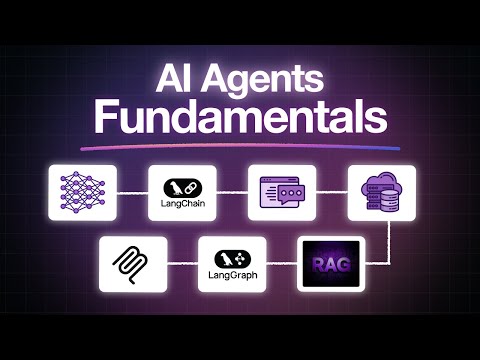
Graphify + Obsidian is INSANE: Build an AI Second Brain That Never Forgets
Summary
This video introduces Graphify, a tool that transforms codebases and project files into a queryable knowledge graph, solving the AI assistant's amnesia problem. Unlike traditional RAG, Graphify builds an explicit graph by analyzing code structure, recordings, and documents, allowing for efficient querying by traversing the graph instead of rereading files. It integrates with tools like Obsidian, creating a personal, owned knowledge base. The video highlights Graphify's multi-pass processing, fact attribution, and export capabilities while also warning about potential decay if not maintained.
Key Insights
Graphify offers a solution by creating a persistent knowledge graph for AI assistants.
Graphify acts as a persistent 'wiki' for AI assistants, built from project files. It stops the model from needing to rebuild its knowledge with every query, providing a stable and up-to-date knowledge base.
Pairing Graphify with Obsidian creates a user-owned, plain Markdown knowledge graph.
By integrating with Obsidian, Graphify's output can be stored as plain Markdown files. This allows users to have full ownership of their knowledge graph, living locally on their disk.
Graphify builds an explicit entity-relationship graph upfront, enabling efficient query traversal.
Graphify reverses the process: it performs an expensive upfront reading of the project to create an explicit graph of entities and their relationships. Queries are then answered by walking this graph, mirroring how a senior engineer navigates complex systems.
Regular 'linting' or cleanup is crucial to prevent knowledge graph decay.
The 'lint' operation—reviewing AI-generated content, pruning stale pages, and resolving contradictions—is essential but often skipped. Neglecting this weekly cleanup causes the knowledge base to decay into noise; performing it leads to compounded value.
Sections
The Problem: AI Assistants with Amnesia
AI coding assistants currently suffer from amnesia, forcing them to re-analyze entire codebases for every query.
Current AI coding assistants have amnesia, meaning they don't retain information between queries. For each question, they must re-read and process files from scratch. This is inefficient, especially for large projects with many files, and incurs a significant 'token tax' due to repeated processing.
Stuffing entire code repositories into context windows degrades answer quality.
Attempting to overcome AI amnesia by loading an entire repository into the context window for every query does not improve performance; in fact, it often leads to worse answers.
Graphify offers a solution by creating a persistent knowledge graph for AI assistants.
Graphify acts as a persistent 'wiki' for AI assistants, built from project files. It stops the model from needing to rebuild its knowledge with every query, providing a stable and up-to-date knowledge base.
Andrej Karpathy's fix inspired a rapid development of graph-based AI knowledge tools.
A post by Andrej Karpathy on April 3rd presented a solution that was quickly adopted and implemented across the developer community over a single weekend, sparking the development of tools like Graphify.
Graphify achieved rapid popularity, gaining over 90,000 GitHub stars in three months.
The tool Graphify, inspired by the graph-based AI knowledge concept, saw explosive growth after its release, accumulating over 90,000 GitHub stars in approximately three months.
Pairing Graphify with Obsidian creates a user-owned, plain Markdown knowledge graph.
By integrating with Obsidian, Graphify's output can be stored as plain Markdown files. This allows users to have full ownership of their knowledge graph, living locally on their disk.
The concept's popularity is evident in high engagement across platforms like X and GitHub.
The idea of using code graphs and Obsidian for AI knowledge generation generated significant online traction, with posts receiving tens of thousands of likes and substantial GitHub stars and forks.
How Graphify Solves the Problem
Traditional RAG is insufficient for code due to reliance on textual similarity over structural relationships.
The common solution, Retrieval Augmented Generation (RAG), which chunks and vectors text for similarity search, is shaky for code. Code relationships are based on call graphs, not just word similarity, leading RAG to potentially load entire libraries inefficiently.
Graphify builds an explicit entity-relationship graph upfront, enabling efficient query traversal.
Graphify reverses the process: it performs an expensive upfront reading of the project to create an explicit graph of entities and their relationships. Queries are then answered by walking this graph, mirroring how a senior engineer navigates complex systems.
Graphify integrates diverse data types into a unified knowledge graph.
Beyond code, Graphify ingests and integrates SQL schemas, shell scripts, R notebooks, architecture PDFs, and even recorded video content into a single, cohesive graph, bridging knowledge silos across application code, databases, and infrastructure.
Graphify's process involves three distinct, local-first parsing passes.
Graphify processes project files in three passes: Pass 1 uses Tree-sitter for deterministic, AI-free parsing of source code across many languages, tagging links as 'hard facts'. Pass 2 uses local transcription (Faster Whisper) for audio/video content. Pass 3 handles documents/images potentially using external LLMs via the user's API key, with an option for 'code only' mode to keep everything local.
Graphify differentiates between 'extracted' and 'inferred' data, flagging ambiguity.
Connections in the graph are labeled: 'Extracted' means directly from code, 'Inferred' means reasoned by the model, and 'Probably Ambiguous' indicates the model's uncertainty, prompting user verification.
Community detection organizes the graph, revealing natural module clusters.
Graphify uses community detection algorithms on the graph structure to automatically cluster related modules (e.g., authentication, billing, infrastructure), visually highlighting inter-cluster connections without manual drawing.
Querying via Graphify dramatically reduces token usage by traversing the graph.
Instead of opening numerous files, Graphify answers questions like 'How does a user log in?' by walking the graph, achieving significant token savings (claimed ~71x fewer tokens on mixed codebases in their benchmark).
Graphify offers multiple query modes and exports.
Querying options include 'explain' (plain English tour), 'path' (shortest chain between entities), and 'deep mode' (fuzzy inferred links). Exports include HTML graphs, JSON, Markdown reports, Neo4j databases, and MCP servers for agent integration.
The graph stays current through smart updates and optional Git hooks.
Graphify uses file hashes for incremental updates, only reprocessing changed files. Git hooks can automatically rebuild the graph on commit, ensuring the AI assistant always reflects the current code branch.
Obsidian Integration and Future Potential
Obsidian provides a user-owned home for Graphify-generated knowledge graphs.
Obsidian, a popular notes app using local Markdown files, serves as an ideal base for Graphify. Integration turns graph entities into pages and relationships into wikilinks, visualized in Obsidian's graph view.
Plugins like Claudian enable AI interaction directly within Obsidian.
Plugins such as Claudian allow AI models like Claude to operate within the Obsidian sidebar, reading and writing notes and executing commands without leaving the user's primary knowledge environment.
Multiple plugins offer various levels of AI integration with Obsidian vaults.
Alternative plugins like Smart Connections (embeddings), Cudge (self-hosted), and Copilot for Obsidian (vault-aware chat) provide different ways to leverage AI with an Obsidian vault, allowing users to start simple and add complexity gradually.
The underlying architecture consists of source files, an AI-managed wiki, and a schema file.
Karpathy's design comprises three layers: untouched source files, an AI-managed wiki layer for notes and links, and a schema file defining the wiki's structure. Operations include ingest, query, and lint (cleanup).
The concept traces back to Vanavar Bush's 1945 vision of interconnected 'memex' documents.
The idea of maintaining linked trails between documents, where links are as important as the content, originates from Vanavar Bush's 1945 concept of the 'memex'. The challenge was historical lack of tools for maintenance, now solved by AI.
Potential Pitfalls and Maintenance
Large knowledge graphs can become unmanageable search problems if not handled correctly.
While Graphify softens the issue, extremely large vaults (thousands of notes) can revert to being a search problem, as the AI may spend too much context navigating structure instead of answering questions.
AI can confidently invent information not present in the original sources.
AI assistants may 'hallucinate' or confidently invent information, filling gaps with fabricated details. This is mitigated by instructing the AI explicitly not to add content the user hasn't written.
Feedback loops can lead to AI citing its own potentially flawed output, creating an echo chamber.
If unattended, an AI might cite its own previously generated notes, building upon potentially small initial mistakes. This feedback loop can cause errors to harden into facts over time, filling the knowledge base with the AI's echo.
Regular 'linting' or cleanup is crucial to prevent knowledge graph decay.
The 'lint' operation—reviewing AI-generated content, pruning stale pages, and resolving contradictions—is essential but often skipped. Neglecting this weekly cleanup causes the knowledge base to decay into noise; performing it leads to compounded value.
Maintaining truthfulness in a second brain requires diligent cleanup.
A 'second brain' that never forgets also remembers bad notes and lazy guesses. Its long-term value depends on the user actively cleaning up after the AI, treating the weekly review (linting) as necessary 'rent' for maintaining accuracy.
Users should start small to build trust before committing large amounts of data.
It's advisable to begin with a small, manageable project (one folder, one graph) that the user already understands well. This allows the system to earn trust before being used for more extensive personal or professional data.
Long-term success relies on the continued accuracy of the knowledge base, not just initial demos.
The true winners using this technology are not those with the slickest initial demonstrations, but rather those whose knowledge vaults remain truthful and accurate over extended periods, like three months or more.
Ask a Question
*Uses 1 Wisdom coin from your coin balance