Claude Code Will 10X Your Productivity (ADVANCED COURSE)
Summary
This video introduces Claude Code, presenting it not as a simple chatbot but as a powerful AI employee capable of complex business operations. It details installation, essential terminal commands, and various functionalities including file access, image/PDF analysis, tool integration, prompt engineering, memory management via Claude.md files, plan mode, context window management, model selection, conversation management, and advanced features like skills, hooks, MCP servers, subagents, remote control, scheduled tasks, and version control. The tutorial aims to empower entrepreneurs and business owners to leverage AI for enhanced productivity and automation.
Key Insights
Claude Code acts as an AI employee for key business operations.
Unlike conversational AI, Claude Code can perform core business functions such as finding specific files (e.g., TikTok drafts), transcribing them, writing platform-specific captions, integrating keywords for automations, checking against brand guidelines, publishing to multiple platforms, updating databases like Airtable, and creating automations in tools like ManyChat, all from a single command.
Claude Code's file access allows direct manipulation of local documents.
Claude Code can read, edit, and create files on your computer. This enables tasks like analyzing documents in your downloads folder without manual upload or copy-pasting. It can process various file types, including CSVs, images, and PDFs.
Claude Code's core differentiator is its action-oriented capabilities beyond conversation.
Unlike chatbots, Claude Code acts on your behalf. It can read/edit files, run commands, search folders, research the internet, and connect to external apps via APIs or MCP. Every action it takes is a 'tool call'.
Claude.md files serve as project-specific instruction manuals for Claude Code.
Claude.md files act as living documents that store project-specific rules, preferences, and guidelines. Claude Code reads this file at the start of each session within that project's directory, ensuring consistent application of desired behavior and brand voice.
Plan mode allows reviewing proposed actions before execution.
Plan mode lets users review Claude Code's detailed plan for a task before it executes any changes. This is crucial for critical tasks like coding or major file edits, acting as a safety net to prevent unintended consequences. Users can cycle through modes (default, accept edits, plan mode) using Shift+Tab.
Skills transform Claude Code into a powerful, custom automation engine.
Skills are custom-built functionalities, akin to '10x more powerful custom GPTs', that allow chaining multiple actions together. Skills can automate complex, multi-step processes like the '/cross-post' example, which handles video transcription, captioning, scheduling, and more across platforms.
MCP (Model Context Protocol) connects Claude Code to external tools and APIs.
MCP acts as a bridge, enabling Claude Code to interact with everyday applications like Airtable, Notion, Slack, and more. This allows Claude Code to perform actions within these tools, automating workflows that previously required manual intervention.
Remote control allows mobile access to Claude Code sessions on your computer.
The remote control feature, accessible via the Claude mobile app, lets users control active Claude Code sessions on their computer from their phone. This provides full access to local files and ongoing tasks, syncing in real-time.
Sections
Introduction: Beyond Chatbots
AI is often misunderstood as a chatbot; Claude Code offers much more.
Most people perceive AI as a chatbot, like a fancy auto-completer or faster Google search. However, this only utilizes 1% of current AI capabilities. Claude Code, used for over a year, is experienced as an AI employee, capable of executing complex, multi-step business operations from a single command.
Claude Code acts as an AI employee for key business operations.
Unlike conversational AI, Claude Code can perform core business functions such as finding specific files (e.g., TikTok drafts), transcribing them, writing platform-specific captions, integrating keywords for automations, checking against brand guidelines, publishing to multiple platforms, updating databases like Airtable, and creating automations in tools like ManyChat, all from a single command.
This tutorial focuses on practical AI application for entrepreneurs.
The tutorial is designed for entrepreneurs and business owners, focusing on practical applications for productivity rather than app development or 'vibe coding'. It covers concepts from basic installation and terminal usage to advanced features like skills, hooks, memory, and MCP servers.
Getting Started: The Terminal and Installation
The terminal is a powerful, text-based interface for interacting with Claude Code.
The terminal, often perceived as intimidating, is a text-based interface with no menus or buttons. It allows users to instruct Claude Code in plain English, granting it access to local files (read, edit, write) and the internet. Standard terminals are pre-installed on most operating systems (Terminal on Mac, Command Prompt on Windows).
Basic terminal commands: LS, CD, MKDIR.
Essential terminal commands include 'LS' to list contents of a directory, 'CD' (Change Directory) to navigate into folders, and 'MKDIR' to make (create) a new directory (folder). These are fundamental for file system navigation and setting up workspaces.
Installing Claude Code requires specific commands based on the operating system.
Installation involves running commands provided in the official Claude Code documentation (code.claude.com/docs/en/quickstart). Separate commands are provided for Mac/Linux and Windows users. It's recommended to refer to the official documentation for the most up-to-date instructions.
Claude Code pricing plans require careful token usage management.
Claude offers various pricing plans (Pro at $20/month). The Pro plan requires careful management of token usage and context window to avoid exceeding limits quickly. For heavy business use, the $100 or $200 per month plans are recommended for their significantly greater utility without constant worry about usage.
Running 'Claude' in the terminal initiates the AI session.
After installation, typing 'Claude' in the terminal launches the session. The first-time user will need to log in via the claude.ai website. Claude will treat the current directory as its workspace, applying project-specific and global rules.
Interacting with Claude Code: Core Functionality
Ask Claude Code about its capabilities and limitations.
A recommended habit is to ask Claude Code directly about its functions (e.g., 'What are you, and what do you have access to?'). It can read, edit, create files, run commands, search locally and on the web, scrape data, and automate workflows based on its permissions.
Claude Code's file access allows direct manipulation of local documents.
Claude Code can read, edit, and create files on your computer. This enables tasks like analyzing documents in your downloads folder without manual upload or copy-pasting. It can process various file types, including CSVs, images, and PDFs.
Claude Code can analyze images and PDFs by direct input.
Users can input images or screenshots directly into Claude Code, which can then describe their content. This is useful for error messages or visual information that is difficult to copy-paste.
Claude Code's core differentiator is its action-oriented capabilities beyond conversation.
Unlike chatbots, Claude Code acts on your behalf. It can read/edit files, run commands, search folders, research the internet, and connect to external apps via APIs or MCP. Every action it takes is a 'tool call'.
Tools are built-in functionalities for Claude Code's actions.
Tools are the functions Claude Code uses to interact with your computer and the internet, such as web fetching, web search, file reading, and file writing. MCP (Model Context Protocol) extends this by allowing connection to external apps.
Claude Code can orchestrate complex workflows using tool calls.
By combining multiple tool calls, Claude Code can perform intricate tasks. For example, analyzing a downloads folder, categorizing files by type, and creating a summary document with organization suggestions, all demonstrated through a series of automated steps.
Effective prompting provides necessary context for AI tasks.
Basic prompt engineering involves providing sufficient context. Users can reference specific files using the '@' symbol in the terminal. A prompt technique to ask clarifying questions one at a time until 95% confidence is reached helps refine tasks interactively.
Personalization and Workflow: Claude.md and Plan Mode
Claude.md files serve as project-specific instruction manuals for Claude Code.
Claude.md files act as living documents that store project-specific rules, preferences, and guidelines. Claude Code reads this file at the start of each session within that project's directory, ensuring consistent application of desired behavior and brand voice.
Plan mode allows reviewing proposed actions before execution.
Plan mode lets users review Claude Code's detailed plan for a task before it executes any changes. This is crucial for critical tasks like coding or major file edits, acting as a safety net to prevent unintended consequences. Users can cycle through modes (default, accept edits, plan mode) using Shift+Tab.
Continuously updating Claude.md optimizes Claude Code's performance over time.
It's essential to regularly update the Claude.md file with learnings and new preferences. This process ensures Claude Code evolves with your workflow and maintains project-specific context, avoiding repetitive clarifications and improving efficiency.
Managing Claude Code Sessions: Context and Models
Context window limitations require managing token usage effectively.
The context window is analogous to a whiteboard with limited space. As conversations grow, it becomes harder for AI to prioritize information, potentially degrading answer quality. Users can monitor usage via '/usage' and employ techniques to manage tokens.
Clearing context or compacting sessions reduces token usage and improves focus.
Commands like '/clear' remove the entire conversation history, freeing up context. '/compact' keeps a summary of the history while clearing the details. These actions help manage costs and refocus Claude Code, especially when switching between distinct tasks.
Model selection (Opus, Sonnet, Haiku) impacts capability, speed, and cost.
Claude offers different models: Opus (most capable, default), Sonnet (faster, capable), and Haiku (fastest, simplest). Users can switch models using '/model' during a conversation to optimize for specific tasks and manage token costs. Opus is best for complex tasks, Sonnet for everyday use, and Haiku for simple queries.
Effort levels (low, medium, high, Ultra Think) adjust cognitive load for models.
Beyond model choice, effort levels can be adjusted using arrow keys or '/effort' command. 'Ultra Think' is a special keyword for a single prompt to use the highest settings, reverting afterward. For beginners, medium effort and default models are recommended.
Conversation history can be resumed across sessions.
Using the '/resume' command allows users to pick up previous conversations. If a session is exited, typing 'Claude' again and then '/resume' will prompt the user to select which past conversation to load.
Interrupting Claude Code allows immediate task termination.
Pressing the 'Escape' key can interrupt Claude Code's current operation, preventing it from continuing down an unintended path or completing an unnecessary task. This is crucial for managing AI actions in real-time.
VS Code Integration and Memory
Visual Studio Code offers a collaborative interface for working with Claude Code.
VS Code provides a user-friendly environment to review Claude Code's outputs and collaborate on files. It integrates Claude Code as an extension, allowing direct interaction and highlighting text for Claude to reference, effectively acting as a sophisticated shared document.
The Claude Code VS Code extension enables direct interaction and file referencing.
The official Claude Code extension for VS Code provides access to local sessions, allows splitting screens for better workflow, and highlights selected text for Claude to understand specific context. It also integrates a terminal within VS Code.
Claude Code utilizes memory, including Claude.md files and personal preferences.
Memory functions in two main ways: Claude.md files act as project-specific instruction manuals, while Claude also maintains its own short-term memory, storing user preferences and observations from interactions. Users can explicitly tell Claude to remember specific details.
Project-specific and global Claude.md files manage different scopes of rules.
Each project can have its own Claude.md file for tailored rules. A global Claude.md file can be created to apply overarching rules across all projects, consolidating commonly used instructions and preferences.
Advanced Capabilities: Skills, Hooks, and MCP
Skills transform Claude Code into a powerful, custom automation engine.
Skills are custom-built functionalities, akin to '10x more powerful custom GPTs', that allow chaining multiple actions together. Skills can automate complex, multi-step processes like the '/cross-post' example, which handles video transcription, captioning, scheduling, and more across platforms.
Hooks trigger automated actions based on Claude Code's completion.
Hooks are automated responses to events, such as playing a sound or sending a desktop notification when a long task finishes. They can also act as quality gates, like checking captions for banned words before publishing.
MCP (Model Context Protocol) connects Claude Code to external tools and APIs.
MCP acts as a bridge, enabling Claude Code to interact with everyday applications like Airtable, Notion, Slack, and more. This allows Claude Code to perform actions within these tools, automating workflows that previously required manual intervention.
Connecting MCP servers involves API key creation and configuration.
Setting up MCP servers typically involves creating a personal access token or API key from the target application (e.g., Airtable), granting necessary scopes (read, write), and then adding this key to Claude Code's configuration, often requiring a session restart.
Perplexity MCP significantly enhances Claude Code's research capabilities.
While Claude Code has native internet research, integrating Perplexity via MCP provides superior research quality, access to primary sources, and better citation, especially for factual content creation and analysis.
Pre-built skills from repositories can be easily integrated.
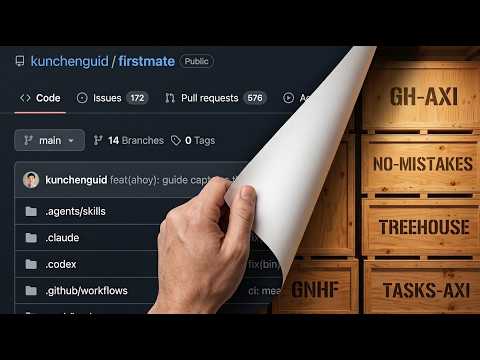
Users can clone GitHub repositories containing curated skills directly into Claude Code. Claude can also help identify the most relevant skills from a collection based on user needs and project context.
Git and GitHub enable version control for project management.
Using Git locally or GitHub for cloud storage allows for saving and tracking changes to projects. Claude Code can automatically manage these version control systems, enabling users to create branches, commit changes, and revert if necessary, preventing data loss.
Advanced Features and Workflows
Subagents perform tasks in parallel, increasing efficiency.
Subagents, or parallel employees, allow Claude Code to handle multiple parts of a task simultaneously. For example, in the cross-post skill, separate agents can manage transcription, captioning, and scheduling for multiple videos at once.
Remote control allows mobile access to Claude Code sessions on your computer.
The remote control feature, accessible via the Claude mobile app, lets users control active Claude Code sessions on their computer from their phone. This provides full access to local files and ongoing tasks, syncing in real-time.
Scheduled tasks offer basic recurring automation within Claude Code.
The '/loop' command allows scheduling recurring tasks, like hourly checks for new Google Drive files. However, these tasks are limited to when Claude Code is active and have a short expiration, making dedicated orchestration tools like n8n more robust for permanent workflows.
n8n integration enhances operational orchestration and credential management.
Combining Claude Code with n8n is considered a 'superhero setup' for business operations. n8n handles workflow scheduling, logs, and permissions, while Claude Code can create and fix n8n automations. n8n also acts as a secure credential store for API keys.
Skills can be dynamically created or imported.
Users can instruct Claude Code to create skills from descriptions, external links, or even by analyzing YouTube videos. Existing skills can be imported from GitHub repositories, and Claude can recommend the most relevant ones.
Hooks can trigger automated actions like notifications or quality checks.
Hooks are event-driven automations that run without user intervention. Examples include desktop notifications upon task completion or quality gates that intercept and validate generated content against predefined rules.
Roadmap and Resources
A staggered learning approach is recommended for new users.
For users overwhelmed by the tutorial, a suggested roadmap starts with installation, basic interaction, file analysis, creating a simple Claude.md, switching modes, and managing models. Gradually progress to VS Code, skills, MCP servers, and advanced features.
Regularly use '/insights' to discover productivity improvements and new skill opportunities.
The '/insights' command analyzes usage patterns and suggests ways to update Claude.md files or create new skills based on repetitive tasks, helping users continuously optimize their workflow.
Explore repositories of pre-built skills for inspiration and utility.
Resources like Anthropic's official skills repository, 'awesome Claude Code', and 'Claude Skills' offer numerous pre-built skills. Users can browse these collections, import skills, or ask Claude to identify the most relevant ones for their needs.
Ask a Question
*Uses 1 Wisdom coin from your coin balance