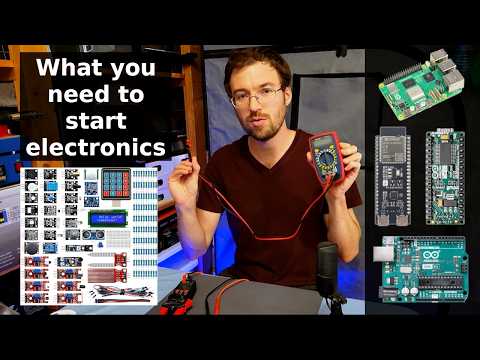
How to use a multimeter like a pro, the ultimate guide
Summary
This video provides a comprehensive guide to using a multimeter, explaining its various functions and symbols. It covers essential measurements like voltage (AC/DC), resistance (ohms), continuity, capacitance, diode testing, frequency (Hz), duty cycle, temperature, and amperage (clamp and in-series). The guide also discusses measurement units (M, K, m, micro, nano), manual vs. auto-ranging, and other features like max/min/average, hold, and backlight. Finally, it offers advice on selecting the right multimeter, considering features, true RMS, and auto-ranging capabilities, with links to various options provided.
Key Insights
Understanding multimeter symbols and units is crucial for accurate electrical measurements.
The video emphasizes that while multimeters may seem intimidating, understanding the standard symbols (V for voltage, wavy line for AC, dotted line for DC, Omega for ohms, etc.) and measurement units (M for mega, K for kilo, m for milli, micro, nano) is fundamental. These symbols and units are consistent across most multimeters, allowing users to interpret readings correctly for voltage, resistance, capacitance, and frequency.
Safety is paramount when using a multimeter, especially when dealing with high voltages or specific functions like capacitance.
The tutorial repeatedly stresses the danger of working with electricity. When testing AC voltage from outlets, it advises extreme caution due to the risk of electrocution and suggests using only one hand to avoid completing a circuit through the chest. Capacitors can store dangerous high voltages even when disconnected, requiring careful handling. Testing amperage in series has limitations on current and duration to prevent blowing internal fuses. The video advocates for using safer methods like the clamp for amperage measurement.
Distinguishing between manual and auto-ranging multimeters is key to selecting the right tool for your needs.
The video explains that auto-ranging multimeters automatically select the appropriate measurement range, simplifying usage. Manual-ranging multimeters require the user to manually select the correct range, often by starting at the highest setting and dialing down until a reading appears. While auto-ranging offers convenience, manual-ranging meters are less expensive and perfectly adequate for occasional use. The choice depends on user preference and frequency of use.
Sections
Introduction to Multimeters and Basic Symbols
Multimeters, though initially daunting, are user-friendly tools for electrical measurements.
The video aims to demystify multimeters, assuring viewers that by the end of the session, they will understand all the necessary functions and symbols to use their device effectively. It promises to cover what each symbol means, what each function does, and provide practical examples and demonstrations.
Key measurements include voltage (V), resistance (Ohms), and current (Amps).
The core functions of a multimeter are introduced, focusing on the ability to measure voltage, resistance, and current. These are presented as the foundational measurements that most users will need.
Voltage is measured with 'V', differentiating between AC (alternating current) and DC (direct current).
Voltage is represented by a capital 'V'. The meter typically has separate settings for AC voltage, indicated by a wavy line symbol, and DC voltage, shown by one solid and one dotted line. AC is common in household power, while DC is used in batteries and charged devices. Users need to select the correct type based on the device being tested.
Resistance is measured in Ohms (Ω), indicating opposition to electrical flow.
Ohms measures resistance, which is how difficult it is for electrical current to pass through a material. Very conductive materials like copper show nearly zero resistance, while insulators like rubber show very high resistance or an open loop ('OL'). Resistors are components used to precisely control resistance in circuits.
Continuity testing beeps to confirm a complete low-resistance path, useful for checking wires.
Continuity is a simple but useful feature that emits a tone when a low-resistance connection is detected. This is ideal for verifying if a wire is unbroken along its length or for tracing wires within a complex circuit by touching one probe to a point and using the other to find the corresponding connection.
Advanced Multimeter Functions
Capacitance (Farads) measures a component's ability to store electric charge.
Capacitance, measured in Farads (F), is the ability of a component (capacitor) to store electrical energy. This function requires setting the meter to the correct symbol, often accessed via a selector button. Capacitors can hold dangerous high voltages and require extreme caution. Readings are typically in microfarads (μF).
Diode testing checks if a component allows current flow in only one direction.
The diode test checks a diode, which acts as a one-way gate for electrical current. A working diode will show a reading in one direction and no reading (or open loop) when the probes are reversed. Readings in both directions or no reading in either direction indicate a faulty diode.
Frequency (Hertz) measures the rate of alternating current cycles per second.
Frequency, measured in Hertz (Hz), indicates the speed of the alternating current waveform. Household outlets typically operate at 50 or 60 Hz. Testing involves placing probes into the outlet terminals. Some meters also measure Duty Cycle (%), indicating the percentage of time the current is positive in an AC waveform, typically 50% for standard AC.
Temperature probes measure ambient or surface temperature.
Some multimeters include a temperature measurement feature, using either Celsius or Fahrenheit. This usually requires a separate probe that connects to the meter and should not be exposed to moisture. It's used for measuring the temperature of surfaces or the surrounding air.
HFE function tests transistors, requiring specific adapter placement.
The HFE setting is used to measure the current gain of transistors. This involves using a special adapter socket on the meter, identifying the transistor type (PNP or NPN) from its datasheet, and correctly placing the transistor's emitter, base, and collector into the corresponding pins on the adapter.
Amperage testing can be done in-series or via a clamp, with the clamp method being safer.
Amperage (current) testing requires either breaking a circuit to connect the meter in series or using a clamp meter. Testing in series often has limitations (e.g., max 10 amps, short duration) and requires using separate inputs on the meter, often fused. Exceeding limits can blow the fuse. Clamp meters are safer as they measure current without breaking the circuit by clamping around a single wire. Clamping around both wires will result in a zero reading due to cancelling magnetic fields.
Non-Contact Voltage (NCV) detectors alert users to the presence of live wires.
Many clamp multimeters feature Non-Contact Voltage (NCV) detection, which alerts the user with a light or sound when voltage is detected near the tip of the device. This is an additional safety feature for quickly identifying live wires but should not be solely relied upon.
Measurement Units, Ranges, and Additional Features
Understanding measurement units (Mega, Kilo, Milli, Micro, Nano) is vital for interpreting readings.
The video explains the prefixes used for measurement units: M (Mega = million), K (Kilo = thousand), m (milli = thousandth), micro (μ = millionth), and n (nano = billionth). Knowing these allows users to correctly interpret values like 21.6k Ohms (21,600 Ohms) or 230 microfarads.
Auto-ranging meters simplify selection, while manual-ranging meters require user input.
Auto-ranging multimeters automatically select the correct measurement range. Manual-ranging meters require the user to manually select the range, typically by starting at the highest setting and decreasing it until a valid reading is obtained. If a '1' is displayed, it means the range is too low and a higher one is needed.
Advanced features include Max/Min/Average, Hold, and backlight.
Other useful multimeter features include a Max/Min/Average function that stores and displays the highest, lowest, or average reading since activation. The Hold button freezes the current reading on the display for easier reference. Many meters also have a backlight for visibility in dark conditions.
Always respect the multimeter's voltage ratings to avoid damage and ensure safety.
It is crucial never to exceed the maximum voltage rating of the multimeter, which is often up to 500 volts. While exceeding this is rare in typical use, users should be aware of their meter's limits to prevent damage and ensure personal safety.
Choosing a Multimeter
Consider the features needed, true RMS capability, and auto-ranging for ease of use.
When selecting a multimeter, determine which features are essential based on your intended use. True RMS (Root Mean Square) capability is important for accurate readings of non-sinusoidal waveforms, which can otherwise introduce significant errors. Auto-ranging enhances user-friendliness, but manual-ranging meters are a budget-friendly alternative for occasional users.
Links to various multimeter options are provided for purchase consideration.
The video concludes by offering links in the description to a range of multimeters, catering to different budgets and quality levels, enabling viewers to make an informed purchase decision.
Ask a Question
*Uses 1 Wisdom coin from your coin balance



![Kali Linux Basics: Beginner Guide + Essential Commands [35 Min]](https://i.ytimg.com/vi/AGVTX9HQp1M/hqdefault.jpg)